Convert Microsoft Word documents to PowerPoint slides and back again.
Turn your Microsoft Word manuscripts into presentation slides (and back again), with a simple desktop interface.
- Multiple chunking strategies: By paragraph, page, or heading (flat/nested)
- Formatting preservation: Bold, italics, colors, highlights, strikethrough, super/subscript, and more
- Annotation support: Comments, footnotes, and endnotes can be copied to slide speaker notes
- Round-trip capability: Convert DOCX → PPTX → DOCX with optional metadata preservation
- Cross-platform: Works on Windows, macOS, and Linux
- Both GUI and CLI: Use whichever fits your workflow
- pip-installable: Usable as a Python library for scripted or automated conversions
Download the latest binary for your platform from Releases:
- Windows: Download
manuscript2slides-windows.zip, extract, and runmanuscript2slides.exe - macOS (Apple Silicon): Download
manuscript2slides-macos.zip, extract, right-clickmanuscript2slides.appand select "Open" - For both platforms, you'll need to allow the app to run unsigned on first launch. See How to Allow First Launch of Downloaded Release Binary on GitHub (Windows, macOS) for details, or the following videos:
New to downloading from GitHub? See a step-by-step guide.
Requires Python 3.10+ to already be installed:
# Recommended: Create a virtual environment first
python -m venv .venv # or python3 -m venv .venv on Unix systems
source .venv/bin/activate  # On Windows: .venv\Scripts\activate

# Then install
pip install manuscript2slides# Launch the graphical interface
manuscript2slides| Windows | macOS | Ubuntu |
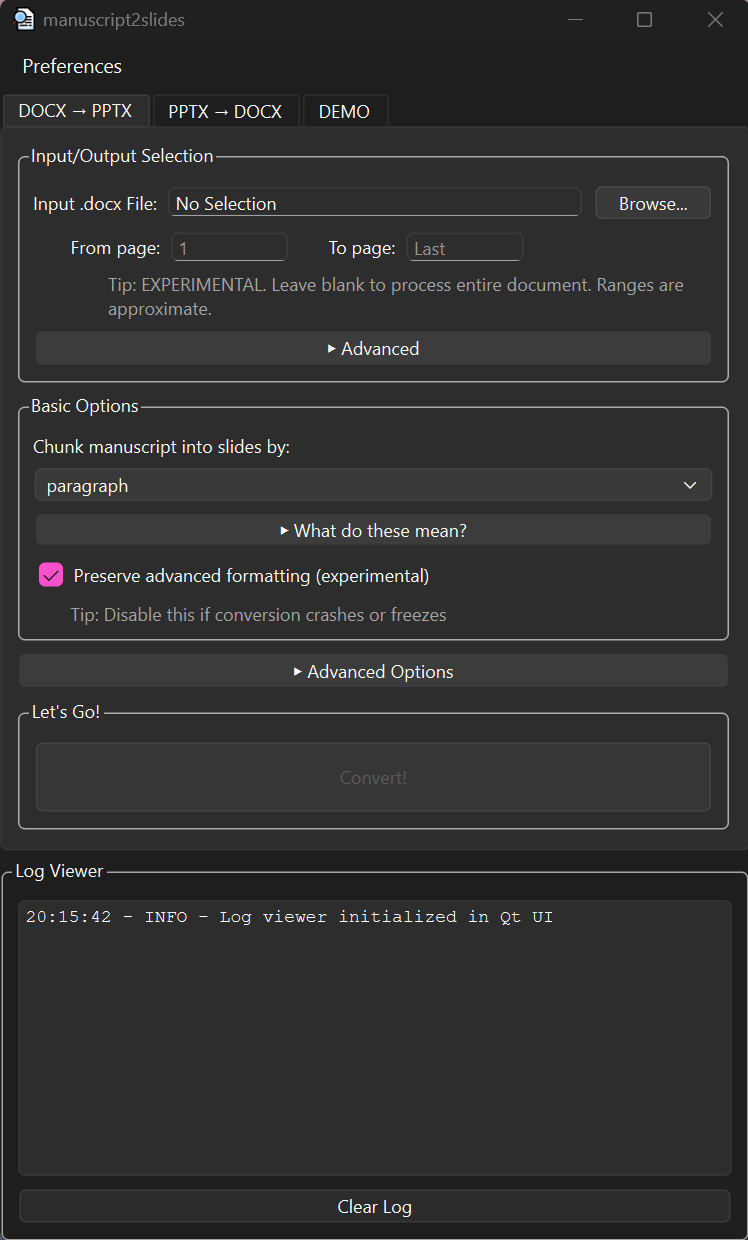 |
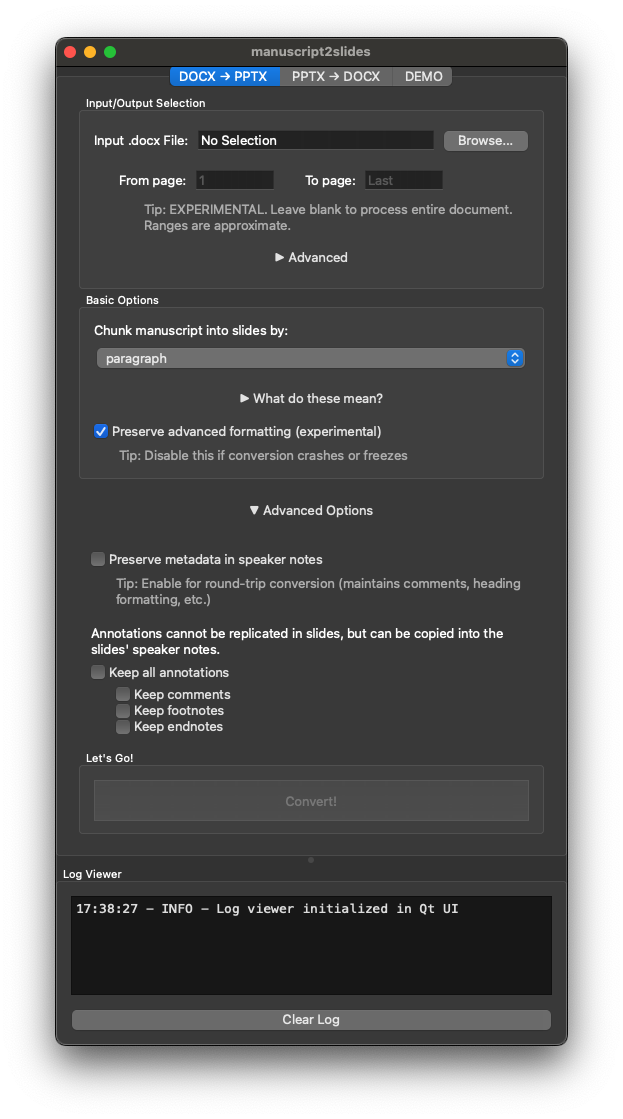 |
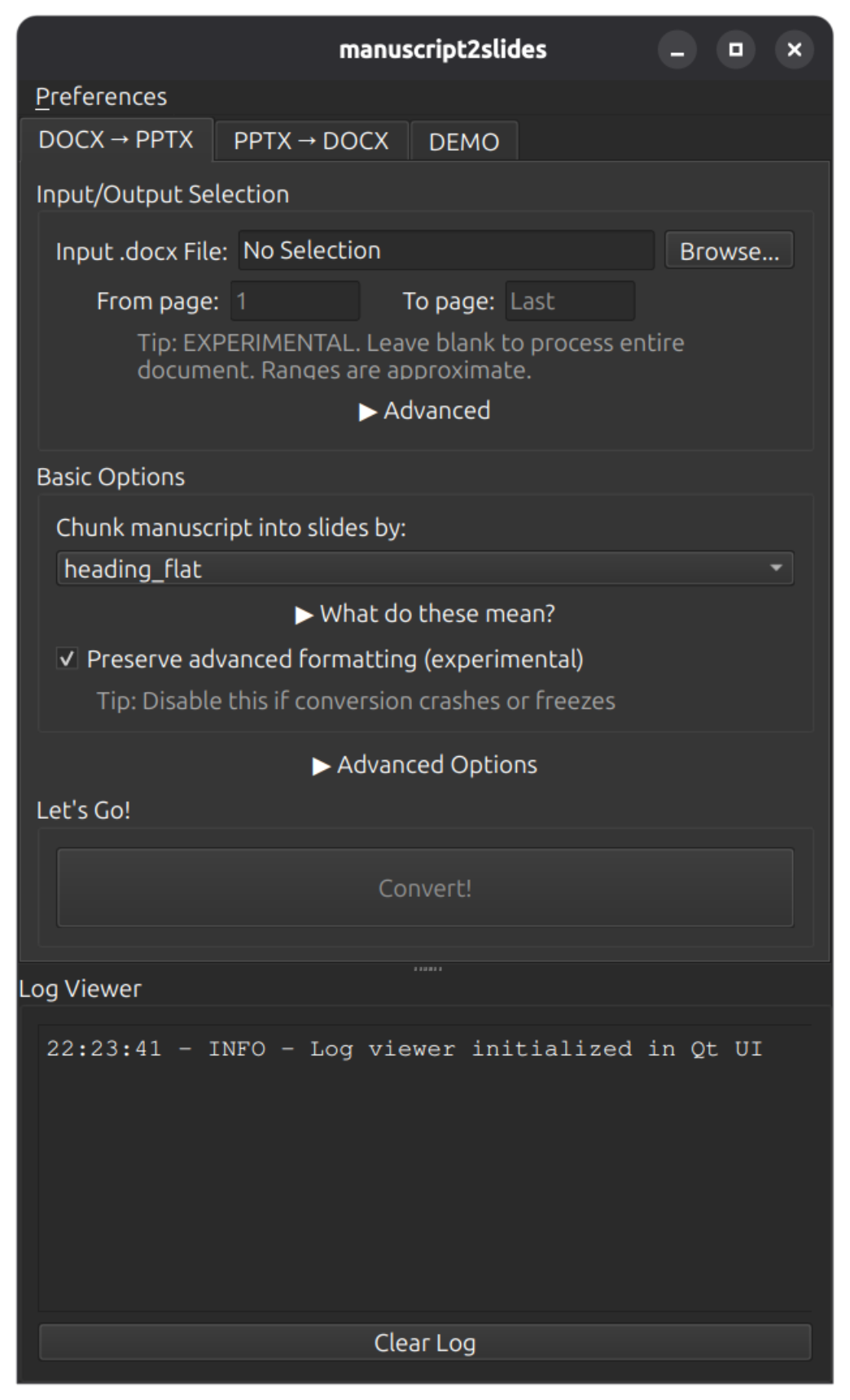 |
Then:
- Choose a tab:
- DOCX → PPTX: Convert your manuscript into slides
- PPTX → DOCX: Turn a slide deck back into text
- DEMO: Try a sample conversion
- Pick your file(s), adjust options (chunking, formatting, annotations), and click Convert!
# Convert a Word document
manuscript2slides-cli --input-docx my-manuscript.docx

# Reverse conversion
manuscript2slides-cli --input-pptx presentation.pptx

# See a demo dry run with sample files
manuscript2slides-cli --demo-round-tripFor a full walkthrough of all options (including screenshots, advanced settings, and round-trip examples), see the User Guide.
Advanced text formatting features adapted from techniques used in md2pptx by Martin Packer (MIT License).
Thanks to:
- ASCIIFlow for their ascii wireframing tool
- Blog post: A Qt GUI for Logging for showing how to use Py's logging library with PySide6/Qt
- StackOverflow answer and GitHub discussion for guidance on advanced techniques to add hyperlinks to docx runs
For full licensing details, see THIRD_PARTY_LICENSES.md.
See Known Limitations for a detailed list of current limitations, unsupported features, and known workarounds.
If conversion fails or the GUI won't launch, see Troubleshooting.
To set up the project for development, see Developer Guide.