https://www.nuget.org/packages/Npgg.ConsoleTable/
- Reflection 을 이용하여 자동으로 테이블을 그립니다.
- 한글/영문/특수문자에서도 깨지지 않고 똑바로 그립니다.
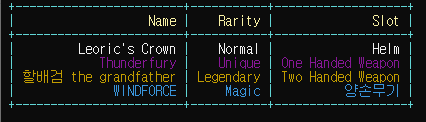
- 패턴매칭이나 대리자를 사용하여 원하는 Row에 원하는 색을 지정할 수 있습니다.
var items = new[]
{
    new Item(){ Name= "Leoric's Crown", Rarity = Rarity.Normal, Slot ="Helm"},
    new Item(){ Name= "Thunderfury", Rarity = Rarity.Unique, Slot ="One Handed Weapon"},
    new Item(){ Name= "할배검 the grandfather", Rarity = Rarity.Legendary, Slot ="Two Handed Weapon"},
    new Item(){ Name= "WINDFORCE", Rarity = Rarity.Magic, Slot ="양손무기"},
};

ConsoleTable.Write(items, item => item.Rarity switch
{
    Rarity.Magic => ConsoleColor.DarkCyan,
    Rarity.Unique => ConsoleColor.DarkMagenta,
    Rarity.Legendary => ConsoleColor.DarkYellow,
    _ => ConsoleColor.White
});
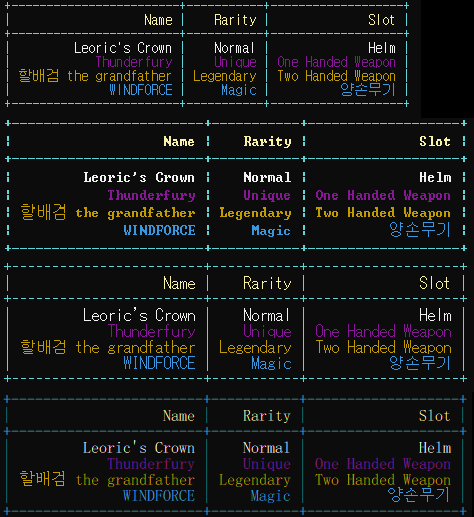
    var items = new[]
    {
        new Item(){ Name= "Leoric's Crown", Rarity = Rarity.Normal, Slot ="Helm"},
        new Item(){ Name= "Thunderfury", Rarity = Rarity.Unique, Slot ="One Handed Weapon"},
        new Item(){ Name= "할배검 the grandfather", Rarity = Rarity.Legendary, Slot ="Two Handed Weapon"},
        new Item(){ Name= "WINDFORCE", Rarity = Rarity.Magic, Slot ="양손무기"},
    };


ConsoleTable.Write(items); ConsoleTable.TableColor = ConsoleColor.Red; //테이블 색깔을 지정합니다.
ConsoleTable.ColumnColor = ConsoleColor.Cyan; //Column에 들어가는 Text 색상을 지정합니다.
ConsoleTable.RowColor = ConsoleColor.White; //Row의 색상을 지정합니다. 단, 대리자를 이용한 색상 지정일 경우에는 동작하지 않습니다.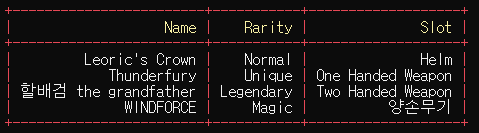
ConsoleTable.Write(items.Select(item => (item.Name, item.Rarity)));
//or
ConsoleTable.Write(items.Select(item => new { item.Name, item.Rarity }));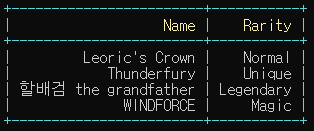
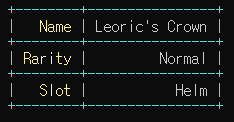
var obj = new Item() { Name = "Leoric's Crown", Rarity = Rarity.Normal, Slot = "Helm" };
ConsoleTable.WriteSingle(obj);